Friday, April 27, 2012

The Penguin Update: Google’s Webspam Algorithm Gets Official Name

Move over Panda, there’s a new Google update in town: Penguin. That’s the official name Google has given to the webspam algorithm that it released on Tuesday.

What’s An Update?

For those unfamiliar with Google updates, I’d recommend reading my Why Google Panda Is More A Ranking Factor Than Algorithm Update post from last year. It explains how Google has a variety of algorithms used to rank pages.

Google periodically changes these algorithms. When this happens, that’s known as an “update,” which in turn has an impact on the search results we get. Sometimes the updates have a big impact; sometimes they’re hardly noticed.

Who Names Updates?

Google also periodically creates new algorithms. When this happens, sometimes they’re given names by Google itself, as with the Vince update in 2009. If Google doesn’t give a name, sometimes others such as Webmaster World may name them, as with the Mayday update in 2010.

With Penguin, history is repeating itself, where Google is belatedly granting a name to an update after-the-fact. The same thing happened with Panda last year.

When the Panda Update was first launched in February 2011, Google didn’t initially release the name it was using internally. I knew it, but I wasn’t allowed say what it was. Without an official name, I gave it an unofficial one of “Farmer,” since one of the reasons behind the update was to combat low-quality content that was often seen associated with content farms.

In the end, I suspect Google didn’t want the update to sound like it was especially aimed at content farms, so it eventually let the “Panda” name go public, in a Steven Levy interview for Wired about the update about a week after it launched. Panda took its name from one of the key engineers involved.

Say Hello To Penguin

Since Panda, Google’s been avoiding names. The new algorithm in January designed to penalize pages with too many ads above the fold was called the “page layout algorithm.” When Penguin rolled out earlier this week, it was called the “webspam algorithm update.”

Without a name for the new webspam algorithm, Search Engine Land was asking people for their own ideas at Google+ and Facebook, with the final vote making “Titanic” the leading candidate. A last check with Google got it to release its own official name of “Penguin.”

Site Performance, Subscriber Stats & Robots.txt Tool Removed From Google Webmaster Tools

Google announced they are removing three features from Google Webmaster Tools. Google made the announcement on the Google Webmaster Central blog saying the three features going away include the site performance report, the subscriber stats and the robots.txt creation tool.
Google placed reversed the order of these features when they wrote about it, trying to mitigate the importance of removing some of these features. Site Performance going away is going to be frustrating for a lot of Google Webmaster Tools users. Subscriber stats is not as important and robots.txt is really not a big deal for most webmasters.

Site Performance:

Site performance is a Webmaster Tools Labs feature that provides information about the average load time of your site’s pages. This feature is also being removed due to low usage. Now you might have heard our announcement from a couple of years ago that the latency of a site’s pages is a factor in our search ranking algorithms. This is still true, and you can analyze your site’s performance using the Site Speed feature in Google Analytics or using Google’s PageSpeed online. There are also many other site performance analysis tools available like WebPageTest and the YSlow browser plugin.

Subscriber Stats:

Subscriber stats reports the number of subscribers to a site’s RSS or Atom feeds. This functionality is currently provided in Feedburner, another Google product which offers its own subscriber stats as well as other cool features specifically geared for feeds of all types. If you are looking for a replacement to Subscriber stats in Webmaster Tools, check out Feedburner.

Robots.txt Tool:

The Create robots.txt tool provides a way to generate robots.txt files for the purpose of blocking specific parts of a site from being crawled by Googlebot. This feature has very low usage, so we’ve decided to remove it from Webmaster Tools. While many websites don’t even need a robots.txt file, if you feel that you do need one, it’s easy to make one yourself in a text editor or use one of the many other tools available on the web for generating robots.txt files.

Google Panda Update 3.5

Google rolled out a new search algorithm it says should better prevent webspam from polluting its search results. Who won and who lost? Searchmetrics has done a quick analysis. Winners include names like Poynter, Spotify and The Verge. Losers have some surprises like Cult Of Mac and Digg. But as it turns out, these are winners/losers are mostly likely reflecting a previously unconfirmed Panda Update, not the new algorithm change.

We’ve updated the lead and the headline of this story to reflect that this list is more about a Panda Update change rather than the new webspam fighting algorithm, as confirmed by the head of Google’s web spam team Matt Cutts. I also made a few minor changes to the end of the story.

Cutts commented after the original story came out:
Hey Danny, there’s a pretty big flaw with this “winner/loser” data. Searchmetrics says that they’re comparing by looking at rankings from a week ago. We rolled out a Panda data refresh several days ago. Because of the one week window, the Searchmetrics data include not only drops because of the webspam algorithm update but also Panda-related drops. In fact, when our engineers looked at Searchmetrics’ list of 50 sites that dropped, we only saw 2-3 sites that were affected in any way by the webspam algorithm update. I wouldn’t take the Searchmetrics list as indicative of the sites that were affected by the webspam algorithm update.
Following up with Cutts on Twitter, he told me the Panda Update hit around April 19. The last update was Panda 3.4 on March 23, which Google had publicly shared.

Webmaster Tools Expands Query Data to 90 Days

Google has expanded the historical search query data to 90 days. The number of queries reported has increased as well: the report will now list the top 2,000 for each day of the selected date range (vs. the previous top 1,000). This is great news, as this is data not available anywhere else and when looking at trends, the more information, the better. Google has made a few other minor adjustments to this data recently. So if you use Google webmaster tools query data, see below for all the details of how these reports work.

What’s In the Top Search Queries Report


First, a refresher on what this data is all about. The top search queries report (available in Google webmaster tools for sites you’ve verified ownership of by selecting Your site on the web > Search queries) lists the top queries that brought traffic to your site from Google organic search (from all countries and properties).


Summary Data


For the selected data range, the report shows the total number of queries that brought traffic to the site, the total impressions and clicks the site received, and the number of impressions and clicks for the reported top queries.

Query-Specific Data


For each query, the report notes:


  • Number of impressions - how many searchers saw the site in search results for that query
  • Number of clicks - how many searchers clicked on the search result for that query
  • Click through rate - The percentage of the time searchers who saw the site in search results for that query clicked on it
  • Average position - the average position the highest ranked URL for that site appeared in search results for the query across all searchers
  • In addition, you can find out the change for each of these data points from the previous period. However, the change percentages aren’t available for time periods longer than 30 days. The change details used to be visible by default, but they’re now off by default. You’ll need to click the With Change button to see them in the report (although they’ll be included automatically with the CSV download). If you have the change percentage displayed, you’ll need to turn that off in order to expand the date range beyond 30 days.
You can click into any query to get more specific data, including the pages that ranked for the query, and the impressions, clicks, and click-through rate at each position the site ranked.

Country and Property-Specific Data


Use the filters to drill into what queries brought traffic from Google properties (web, video, images, mobile web, and smartphones) and from specific countries.

How the Numbers Are Aggregated


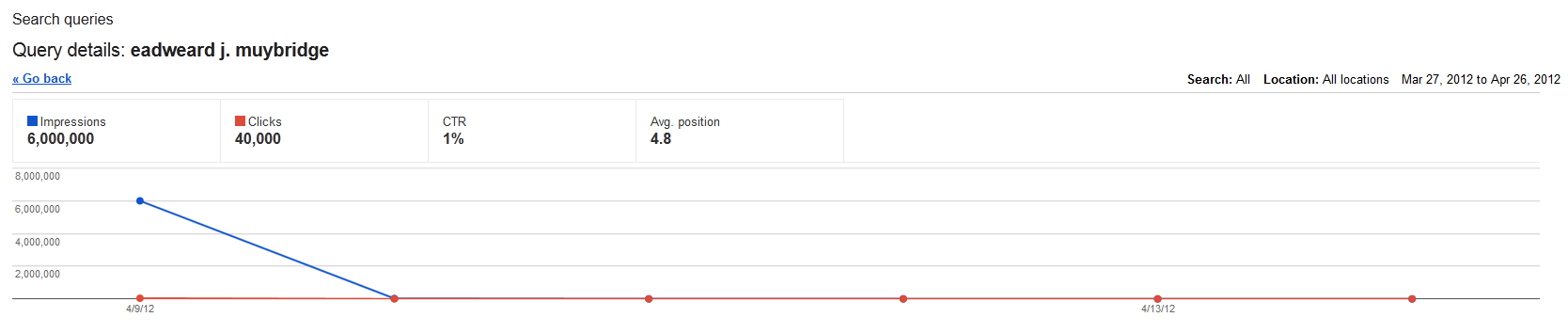
As I explained in a previous post, the numbers can be tricky and it’s important to understand what data you’re really looking at. These reports now list the top 2,000 queries that brought traffic to the site for the selected time period. That means that if a query wasn’t one of the top 2,000 for any days in the selected range, data won’t be reported for it. In the example below, the time period is 30 days, but only 6 of those days have data reported for the query (as illustrated by the dots in the graph).

Google webmaster tools top queries graph


Generating Data


When generating or downloading the data, keep in mind the following:
  • The default ending data in the user interface display is today’s date, but reporting is typically 2-3 days behind so check the last date reported in the graph by hovering over the last dot. The default starting date of the range is 30 days before the end date. And because this end date is generally three days ahead of what’s actually reported, the actual date range generally shown by default is 27 days. Make sure you adjust the dates before analyzing data or comparing it to other time periods.
  • Because the default shown date range is 27 days, the download available from the Python script is also 27 days.

It’s great that Google is offering more data (both number of queries and length of time). Just be sure that as you use this data, you understand exactly what you’re looking at and comparing (both in terms of data range and date reported per day).

Saturday, April 21, 2012

What are Inbound and Outbound links?

Most of the bloggers are obsessed with backlinks and always get in the debate of “dofollow” and “nofollow” links and always try to weigh their benefits and drawbacks. Most of the bloggers also sell and buy backlinks as they want to exchange some PR. This post will give you the overview of inbound and outbound links.

Inbound links:
 
Inbound links or commonly known as “backlinks” are the links pointing to your site and search engines like Google like it when you have thousands of links pointing to your site but sometimes Google penalizes you for it too if you have poor quality and irrelevant backlinks pointing to your site. Yes, because you have no authority over the inbound links which others post for you. Google only likes it when relevant links point to your site but as you have no control over them you cannot control which sites point to your site. But if your content is rich with information and unique then chances are that people will link to your site and there are more chances that those links will be “dofollow” and you will get some free and targeted traffic to your site. Inbound links that are “dofollow” also increase your website’s PR and SERPs and are considered healthy for any blog or website.

Outbound links:

These are the links pointing to other websites from your website and you have more control over these links. People have different views about outbound links and many say that it is against the SEO rules and search engines can penalize you for doing this. This approach is wrong; I know Google cannot penalize me if I put a link to Google inside my post. My theory is that you should link to relevant content if it gives more information to your readers. Bloggers are of the view that you lose traffic when you put outbound links in your posts but if you share useful resources then chances are that your readers will stick to your blog and will come back in search of more useful resources. But if you do put outbound links in your posts then make sure they are pointing to relevant, original and informative content.


How Inbound and Outbound Links Affect SEO

Because hyperlinks are the main tool used to travel from one web page to another, search engines pay a lot of attention to the relationships between pages that are linked together. On the most basic level, everything having to do with link-building in SEO is based on the relationships that these links create. Each relationship created has consequences in the eyes of the search engines, based on the characteristics of the link in question. If you understand the nature of these consequences, then you can maximize the effectiveness of both inbound and outbound links, which allows for skillful SEO.

Appearing Important: Inbound Links

A lot of people are concerned with receiving links from bad neighborhoods. In reality, these links cannot hurt you for a very simple reason. If receiving some specific type of link could lead to being penalized in the search engines, then you could send links of this type to your competitors to take them down. The search engines can never allow a scenario like this to take place, so you don’t have to worry about “bad links” that end up being pointed at your site over time. With this in mind, it’s important to truly realize that a link to your site can never hurt you, and not to worry about it.

In the worst case scenario, an inbound link simply wouldn’t be counted. There are two main factors that matter for inbound links, and they both matter a lot. The first factor is the PageRank of the page you’re receiving a link from, since this allows search engines to objectively measure the popularity and authority of pages. The second factor is the context of the link, which includes where the link is located in the content and what the anchor text is of the link.

An inbound link from a PR0 site with a topic that is irrelevant to the content of your website is one of the lowest-quality links you can get. Along similar lines, the best links to get are from pages that have some PageRank, but that also make sense in terms of context. The bottom line on inbound links is that when high-PageRank sites and sites that are relevant to your niche or industry link to your site, then your site seems important to the search engines.

Appearing Legitimate: Outbound Links


While search engines understand that you aren’t in complete control of the inbound links to your site, you are held completely responsible for all outbound links from the pages of your site. Because of this, when it comes to avoiding relationships with bad neighborhoods, or IP addresses where spam websites are known to be hosted, monitoring your outbound links is critical.

If your site allows users to post their own content, like blog comments or forum posts, then your site is especially vulnerable to outbound links to bad neighborhoods, and safeguards should be put in place to regulate all user-generated links. The best safeguard is to automatically make all user-generated links have the nofollow tag. This will prevent an association to a bad neighborhood since search engines will not follow through the link to see what has been linked to. It’s a common blackhat method to take down a competitor by getting links to bad neighborhoods posted somewhere on the competitor’s website.

Because links to spammy websites in bad neighborhoods hurt you, it stands to reason that outbound links to authority sites in your industry or niche can help you. This shows legitimacy and credibility in the eyes of the search engines, which is built on the idea of high-quality linking relationships with high-quality sites. If you keep in mind that it’s the quality of your outbound links that matter, then it’s easy to appear legitimate to the search engines and build authority for your own site.

Friday, April 20, 2012

Link Submission Sites

Here are some link submission sites that accept your link and publish them on their webpage after moderation. These sites are know by link feed.
  • http://thewebblend.com/submit
  • http://www.designyourway.net/blog/submit
  • http://design-newz.com/submit-newz
  • http://10steps.sg/community-link
  • http://www.webdesign-ne.ws/submit/
  • http://www.bloground.ro/submit-post
  • http://www.technohacker.com/user-link-feed-2
  • http://desizntech.info/submit-link
  • http://designjojo.com
  • http://www.cssdrive.com/index.php/main/submit
  • http://webdevcodex.com/community-links
  • http://www.cssclip.com/submit
  • http://www.quandtnet.de/submit
  • http://www.visual-blast.com/javascript/mootools-plugins-accordion-menu-rounded-corners-slideshow
  • http://www.fuelyourcreativity.com/user-link-feed
  • http://www.webanddesigners.com/user-link-feed/
  • http://www.instantshift.com/user-submitted-new
  • http://psdlearning.com/2008/07/user-links
  • http://kailoon.com/web-design-news/#reply/
  • http://www.knowtebook.com/community-link-feed-1112.htm#add/
  • http://www.cssbrigit.com/CNews
  • http://cssdepot.com/submit-community-news
  • http://www.tutorialking.eu/submit.php/
  • http://www.fuelyourbranding.com/user-link-feed
  • http://pixelactic.com
  • https://friendfeed.com/
  • http://www.admixweb.com/communitynews
  • http://www.tweako.com/submit
  • http://tutlist.com/add
  • http://www.designdazzling.com/
  • http://www.designjuices.co.uk/
  • http://blogwebdesigner.com/submit-news
  • http://www.artfans.info/?page_id=574#submit
  • http://www.cre8ivecommando.com/submit-web-design-article
  • http://designrfix.com/submitnews#tdomf_form2
  • http://divitodesign.com/community-news/#add
  • http://www.hongkiat.com/blog/submit-news-tips
  • http://inspirebit.com/news
  • http://www.multyshades.com
  • http://nenuno.co.uk/creative/submit-news
  • http://qindex.de/community-news
  • http://singlefunction.com/submit-news
  • http://scriptandstyle.com/submit
  • http://www.smashingpost.com/submit-post
  • http://speckyboy.com/designnews/design-news-submission-form
  • http://blog.karachicorner.com/community-news
  • http://www.themeflash.com/user-feed-link/#add
  • http://www.tuttoaster.com/submit
  • http://www.uxbooth.com/new-resource
  • http://www.inspiremonkey.com/submit-news/
  • http://www.thedesignwork.com/

CSS Gallery Submission Sites

In a nutshell, CSS Gallery is a “showroom” for the coolest website designs. From the designers perspective they can be used as an inspirations resource and from the submitter views, getting your web site published on CSS galleries will give you a possibility to increase visibility of your brand , make it visible to a lot of experts users and, of course, it means a lot of traffics. Some of CSS Galleries also provide a “do follow” link attribute, so if your website published on a lot of CSS Galleries, your website page rank will be boosted significantly

The Css gallery submission sites are that sites where we can submit our css gallery site. Css Gallery sites contain the designing templates so Css submission sites are the collection of css gallery sites.
  1. http://www.cssdrive.com
  2. http://www.csselite.com/
  3. http://www.urbantrash.net/cssgallery
  4. http://www.cssbeauty.com/
  5. http://www.cssglance.com/
  6. http://cssmania.com
  7. http://www.bestcssgallery.com/
  8. http://www.cssbased.com/
  9. http://www.cssdaddy.com/
  10. http://www.cssimpress.com
  11. http://www.csscatwalk.com/
  12. http://www.cssbag.com/
  13. http://www.bestwebgallery.com/
  14. http://www.css20.com/
  15. http://www.csszone.org/
  16. http://www.cssleak.com/
  17. http://www.cssbreeze.com/
  18. http://www.minimalsites.com/
  19. http://www.boxedcss.com/
  20. http://www.cssbloom.net/
  21. http://csscollection.com/
  22. http://www.cssstar.com/
  23. http://www.designcreme.com/
  24. http://www.hotwebber.com/
  25. http://thedezine.com/
  26. http://mentalrefugee.com/
  27. http://www.cssclip.com/submit_thanks/
  28. http://www.my3w.org
  29. http://www.bestdesignwebgallery.com/
  30. http://gallerific.com/
  31. http://www.thebestdesigns.com/
  32. http://www.lookom.com/
  33. http://www.webnewly.com/?p=1955
  34. http://www.designsnips.com/
  35. http://www.inspirationking.com/
  36. http://www.cssseason.com
  37. http://cssexchange.com/
  38. http://www.mabucplus.com/
  39. http://www.cssdance.com/submit/#usermessagea
  40. http://cssfury.com/
  41. http://webgallery.crazyleafdesign.com/suggest-a-site/
  42. http://www.divinecss.com/
  43. http://www.wooki.es/submit
  44. http://www.creativeandlink.com/submit/
  45. http://www.cssblaze.com/
  46. http://www.avenuecss.com/
  47. http://www.csspick.com/submit/
  48. http://www.cssenvy.com/submit-a-website/
  49. http://www.cssimpress.com
  50. http://www.cssincolor.com
  51. http://www.csstea.com/css-gallery-site-submit-form.html
  52. http://www.quandtnet.de/submit/
  53. http://www.webdesignfile.com/
  54. http://www.creativeandlink.com/submit/
  55. http://www.designersource.net/
  56. http://www.cssexchange.com/
  57. http://cssorgy.com/submission
  58. http://www.cssstyle.me/
  59. http://gooddesignweb.com/submit-a-site
  60. http://creamycss.com/submit/#usermessage2b
  61. http://stylecrunch.com/
  62. http://www.cssreboot.com
  63. http://cssbrigit.com/Sugerir/
  64. http://www.botwg.com/submit
  65. http://www.bestcssdesign.com/
  66. http://www.blandless.com/
  67. http://csssmoothoperator.com
  68. http://www.fullsingle.com/
  69. http://www.fantasticss.com/
  70. http://www.ceeses.com/
  71. http://www.csscount.com/
  72. http://www.csscookie.com/
  73. http://cartcraze.com/submit/
  74. http://www.cartedup.com/sites/submit
  75. http://cssbahcesi.com/
  76. http://www.cssdump.com/
  77. http://www.cssgallery.ro/
  78. http://www.feedmyapp.com/site/thankyou
  79. http://www.designbombs.com/
  80. http://anjo.dekiteharu.jp/
  81. http://iblog.chubzz.com/
  82. http://www.designineurope.eu/
  83. http://www.cssflavor.com/
  84. http://siteinspire.net/
  85. http://www.themes-css.com/
  86. http://www.cssdesignawards.com/css-web-design-award-submission.php
  87. http://www.designflavr.com/submit/?suggestion=true
  88. http://www.mobileawesomeness.com/submit-a-site/success/
  89. http://www.css-design-yorkshire.com/sitesubmitted.aspx
  90. http://www.csswebsites.nl/website-toevoegen/
  91. http://cartfrenzy.com/submit-a-site/#wpcf7-f1-p3-o1
  92. http://minimalexhibit.com/submit-a-site
  93. http://foliofocus.com/submit-a-site
  94. http://blogdesignheroes.com/submit-a-site
  95. http://typeinspire.com/submit-a-site
  96. http://www.cssworld.de/submit/
  97. http://cssfights.com/submit-a-site.html
  98. http://www.styleprone.com/submit
  99. http://rgbgarden.com/submit/


Sunday, April 8, 2012

The Difference Between SEM and SEO

SEO is Search Engine Optimization and is the process you use in getting better search engine ranking results for your pages. Typical SEO activities may include optimising the HTML and other content of your website for relevant, targeted key phrases in order to attain higher organic listings than competing websites.


SEM is Search Engine Marketing and involves purchasing advertising space on search engine result pages like Sponsored listings (that you see at the top in a Google Search Engine Results Page). You generally use SEM via Paid Inclusion into a search engine/directory, Traditional Ads on SERP’s and via Pay-Per-Click (PPC) Advertising (Google Adwords, Yahoo Ad Campaign etc).


Both are related in a way that both work towards increasing traffic to your site. Nevertheless, SEO must be your first step in promoting your site as Good SEO would avoid you to spend additional money on advertising and paid placement.

How to Increase Google Page Rank?

If you are looking to increase your Google Page Rank, you need to do Quality link building. Quality Link Building is nothing but building quality dofollow back links from higher PR sources, especially from those niche relative authority sources.


Having your link on those websites which have more PR than yours would do good, but PR gets divided among the number of links over there. So look outfor those websites which are having a Good Google PR and less outbound links (both internal and external).


Some ways that you can get good Quality Links are
  • Article submission
  • Blog Commenting (Do Follow Blogs)
  • Forum posting
  • Classified ads
  • Press releases
  • Link Exchange to relevant sites
  • Social bookmarking (Sites like HubPage & squidoo are popular)

Tuesday, April 3, 2012

New SEO Techniques for 2012

There are literally bunches of different ways by which you can optimize your website properly, and if you are interested in getting your website higher up the rankings on Google and also want to get a large amount of traffic to your page, making use of these techniques is a great way of capitalizing on to your web page and its capabilities. There are lots of people who make use of their website in order to earn money from it, and if you are interested in doing just that, getting more traffic to your page is very important. The higher amount of traffic that you get on your page, the higher will be the amount of money that you will earn. In the following paragraphs, we have discussed some of the best search engine optimization techniques that you can employ in order to make your website a success and to increase your visibility in the internet world.

This year, you can be sure that guest blogging is going to be one of the best ways of increasing the amount of traffic to your website. The more you write, the higher will be the chances of increasing your visibility. By maintaining a guest blog for your website, you will be able to attract a larger number of people to your page, and this will result in a higher flow of traffic. Also, by carefully integrating links that lead to your page on a guest blog, you can easily expect to gain a higher ranking for your website. However, in order to take advantage of guest blogging properly, you will need to make sure that whatever you write is good enough. Always make sure that you write good and engaging material for your web page, and if you want to maintain a loyal set of subscribers to your page, make sure that you regularly update the content on your page.

Another great method of optimization that you can try out in 2012 is to optimize and alter the content on your web page only. On page optimization is a very crucial part of SEO, and can help in greatly increasing the amount of traffic that you receive on your page. The good thing about on page optimization is that it is quite simple and can be done by your own self only. Just carefully analyze the key words that you will use on your website while writing the content, and make sure that your website contains engaging content too. By changing the design as well as uploading new graphical content on to your website, you can also expect to gain a lot of new visitors. In this regard, you can use guest blogging as a means of getting the word across, because as soon as people know that changes have been made to your website, you will be able to attract more traffic and gain lots of new visitors. However, building credibility is very important before that on your blog.
Facebook Likes, Increase FB Likes Free